
Oct
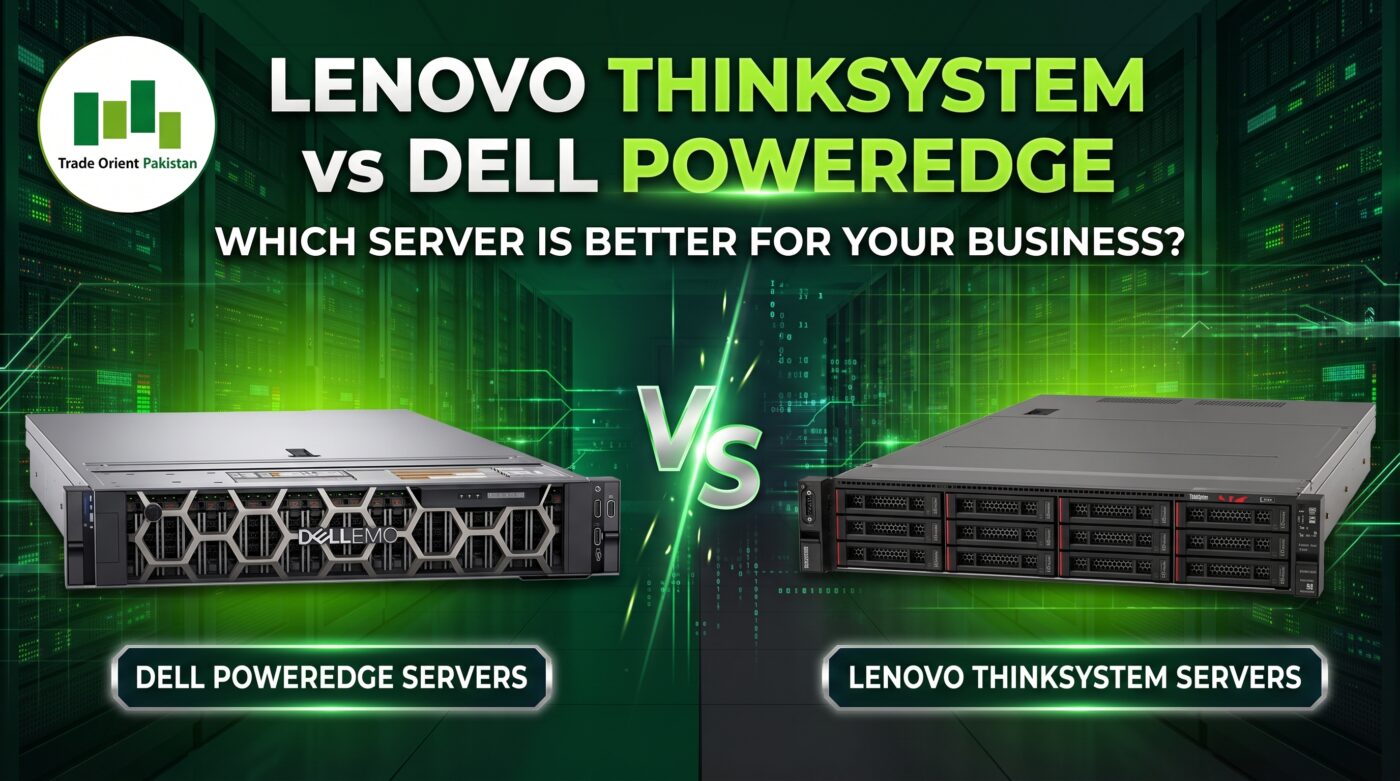
Choosing between Lenovo ThinkSystem and Dell PowerEdge is an important decision for businesses investing in enterprise IT infrastructure. Both server families support demanding workloads, including virtualization, databases, ERP applications, file services and infrastructure management. However, the right choice depends on much more than the manufacturer’s name or the advertised processor specifications.
For businesses in Karachi and across Pakistan, factors such as hardware compatibility, warranty coverage, replacement-part availability and long-term maintenance can significantly affect the overall investment. In addition, organizations must consider power consumption, software licensing, storage requirements and the potential cost of downtime.
This guide compares Lenovo ThinkSystem and Dell PowerEdge from a practical IT infrastructure perspective. As a result, IT managers, system administrators and business owners can make a more informed decision based on their workloads, budgets and support requirements.
1. What Is the Difference Between Lenovo ThinkSystem and Dell PowerEdge?
Lenovo ThinkSystem and Dell PowerEdge are enterprise server product families designed for business-critical computing environments. Both offer server configurations for applications ranging from basic infrastructure services to demanding virtualization and database workloads.
Nevertheless, the best choice depends on the exact server model and configuration. Processor generation, memory capacity, storage controller, network adapters, management capabilities and software compatibility must all be evaluated before making a purchase.
For example, comparing a Lenovo ThinkSystem SR650 with a Dell PowerEdge server is useful only when the specific generations and configurations are identified. Otherwise, differences in hardware specifications can produce misleading conclusions.
Consider these key evaluation areas:
- Performance: Processor capabilities, memory capacity and storage performance.
- Compatibility: Support for the intended operating system, hypervisor and applications.
- Storage: Drive options, RAID capabilities, usable capacity and expansion.
- Management: Remote administration, hardware monitoring and firmware management.
- Support: Warranty eligibility, replacement parts and service arrangements.
- Total cost: Purchase price, licensing, power, maintenance and future upgrades.
Therefore, rather than choosing a brand first, begin by documenting the business requirements and then shortlist suitable models from both manufacturers.
2. Which Server Is Better for Your Business Workload?
The most suitable server is one that meets the application’s performance requirements while remaining practical to operate and maintain. Consequently, the workload should determine the configuration instead of the other way around.
| Business workload | What to evaluate |
|---|---|
| Virtualization | CPU features, RAM capacity, storage IOPS and network throughput |
| Database services | Processor performance, memory, storage latency and recovery requirements |
| ERP and business applications | Application compatibility, resource requirements and licensing |
| File services | Usable storage, network speed, access controls and backup |
| Backup repository | Capacity, throughput, retention and restore performance |
| Multi-site infrastructure | Remote management, standardization and support logistics |
| Growing business | Expansion capacity, lifecycle support and future operating costs |
For example, a small business running Active Directory, DNS and file services may need a very different configuration from an organization hosting dozens of virtual machines.
Similarly, database workloads often require careful assessment of storage latency and memory utilization, not simply a higher processor core count.
Before purchasing, estimate current resource consumption and expected growth over the next three to five years. This approach helps prevent both overprovisioning and expensive capacity shortages.
3. How Should You Compare Lenovo and Dell Server Hardware?
A fair comparison requires equivalent configurations. Otherwise, a server with additional memory, faster drives or better network adapters may appear superior simply because it has more resources.
Processor and memory
Start by comparing the exact processor model, generation, core count and relevant performance characteristics. Next, determine how much memory the workload requires and whether the platform supports the intended expansion.
For virtualization, assess the number of virtual machines, peak CPU utilization, memory consumption and future growth. Database applications, meanwhile, may have specific memory and processor requirements that should be checked against the software vendor’s recommendations.
Also verify supported DIMM types, maximum memory capacity and memory-population rules. These specifications vary by server generation, so never assume that all ThinkSystem or PowerEdge models offer identical capabilities.
Storage and RAID
Storage design can directly affect application responsiveness, usable capacity and recovery options. Therefore, compare the supported drive types, interface options, controller capabilities and available drive bays.
In addition, review the following:
- Usable capacity after RAID or other storage protection.
- Random and sequential I/O requirements.
- Drive endurance and replacement costs.
- Controller and drive compatibility.
- Backup throughput and recovery time.
- Options for future storage expansion.
A server with more drive bays is not automatically the better investment. Instead, select the storage configuration that matches the workload and its expected growth.
Remember that RAID provides protection against certain drive failures, depending on the configuration, but it does not replace independent backups.
Networking and expansion
Network connectivity should also match the existing infrastructure and anticipated traffic. Compare Ethernet speeds, adapter types, port counts, expansion slots and transceiver support.
For example, an organization planning 10 GbE connectivity should verify the complete connection path, including the server adapter, switch ports, transceivers and cabling. A faster network adapter alone will not deliver the intended end-to-end performance if another component becomes the bottleneck.
Furthermore, check the available expansion options if additional storage controllers, network adapters or other PCIe devices may be required later.
Remote management
Remote management capabilities can influence daily administration, troubleshooting and maintenance.
Dell PowerEdge servers commonly use iDRAC, while Lenovo ThinkSystem servers commonly use Lenovo XClarity Controller (XCC). However, available features and licensing depend on the specific model and configuration.
When comparing these platforms, assess:
- Remote console and power management.
- Hardware health monitoring and event logging.
- Firmware management and update procedures.
- Authentication and administrative access controls.
- Alert integration with existing monitoring tools.
For organizations already managing a large fleet of one brand, compatibility with established workflows may simplify operations. Nevertheless, evaluate the actual management features rather than assuming one platform is automatically superior.
4. Which Operating Systems and Virtualization Platforms Are Supported?
Hardware compatibility is essential when deploying a new server or replacing an older system. Before purchasing, confirm that the exact server model and installed components are supported by the intended operating system, hypervisor and application stack.
For Windows Server deployments, verify the supported hardware, required drivers, storage controller and network adapter compatibility. Likewise, organizations planning VMware vSphere should consult the applicable VMware Compatibility Guide and the server manufacturer’s documentation.
For Microsoft Hyper-V and other virtualization platforms, check the relevant vendor requirements as well.
Do not assume that a server supports every current operating system or hypervisor simply because its processor meets the minimum performance requirements. Storage controllers, network adapters, firmware and server generations can all affect compatibility.
If you are replacing an existing server, assess the migration effort before finalizing the purchase. For instance, moving workloads may require driver updates, storage changes, application licensing checks, backup-agent configuration and monitoring adjustments.
As a result, compatibility verification should be completed before hardware procurement, not after the server arrives.
5. Which Brand Offers Better Reliability and Performance?
Neither Lenovo ThinkSystem nor Dell PowerEdge should be declared universally more reliable or faster without examining the specific models and evidence.
Both product families offer enterprise server platforms. However, actual performance and reliability depend on component selection, firmware, workload characteristics, environmental conditions and maintenance practices.
To compare performance fairly, follow a structured process:
- Define the workload and required performance targets.
- Select comparable CPU, memory, storage and networking configurations.
- Confirm that both configurations are supported.
- Review relevant benchmarks that match the intended workload.
- Consider power consumption and cooling requirements.
- Evaluate monitoring, fault isolation and recovery arrangements.
For example, a CPU-focused benchmark may not accurately predict database performance when storage latency is the primary limitation. Similarly, results from different memory configurations or drive types should not be treated as directly equivalent.
Reliability also requires a broader assessment. Review available support records, component condition, environmental requirements and maintenance history where applicable.
Therefore, the better server is the one that demonstrates suitable performance and supportability for your actual environment, rather than the one with the strongest marketing claims.
6. How Important Are Warranty, Support and Parts Availability in Pakistan?
For businesses in Pakistan, support arrangements can be just as important as the initial hardware specification. A server that meets every technical requirement may still create operational problems if replacement parts or qualified support are difficult to obtain.
Before purchasing, confirm the following:
- Whether the server is new, refurbished or used.
- The exact hardware configuration and physical condition.
- Manufacturer warranty eligibility and transferability, where applicable.
- Available service arrangements in Pakistan.
- Replacement-part availability and realistic delivery times.
- The supplier’s warranty, return and fault-handling terms.
- Whether installation, troubleshooting and ongoing maintenance are included.
For example, a low purchase price may not represent good value if a failed component takes several days to replace and interrupts business operations.
Organizations in Karachi should evaluate local service logistics and access to suitable replacement parts. Meanwhile, businesses operating in other cities should establish how technical assistance and replacement components will be delivered to their location.
Importantly, do not assume that every imported or refurbished server has active manufacturer support. Verify the exact system’s eligibility directly with the vendor before relying on that coverage.
7. How Do You Compare the Total Cost of Ownership?
The initial purchase price is only one part of the overall investment. Over time, software licensing, electricity, cooling, maintenance, upgrades and downtime can significantly affect the total cost of running a server.
A practical three-year total cost of ownership (TCO) assessment should include:
| Cost category | Questions to consider |
|---|---|
| Hardware | What components and accessories are included? |
| Warranty and support | What is covered, and for how long? |
| Power and cooling | What is the expected operating load? |
| Licensing | Which operating-system, hypervisor and application licenses are required? |
| Storage | What will drive replacement and expansion cost? |
| Implementation | Are installation, configuration and migration included? |
| Downtime | What is the business impact of an outage or delayed repair? |
| Future growth | How much will upgrades and expansion cost? |
| Retirement | What will migration, data erasure and replacement involve? |
A more expensive server may be justified when it better meets performance, support or availability requirements. Conversely, a lower-cost configuration may be appropriate for workloads with modest resource requirements and manageable recovery needs.
For a realistic comparison, obtain itemized quotations from suppliers and use documented assumptions for operating costs. In addition, compare equivalent warranty periods and service scopes so that the assessment remains fair.
Ultimately, the objective is not simply to buy the cheapest server. Instead, choose a configuration that meets the business requirements at an acceptable lifecycle cost.
8. Should You Buy a New or Refurbished Server?
Both new and refurbished enterprise servers can be suitable, depending on the workload, budget and support requirements.
New enterprise servers
A new server may be preferable when the business requires a defined support lifecycle, current platform capabilities, predictable procurement and appropriate manufacturer warranty coverage.
Additionally, new equipment may be easier to standardize across a growing infrastructure environment, provided the selected configuration meets the organization’s technical requirements.
Refurbished enterprise servers
A refurbished server may offer better initial affordability for suitable workloads. However, its condition, compatibility and support arrangements must be verified before purchase.
Check the exact model and generation, component health, drive condition, firmware status, warranty terms, manufacturer support eligibility and replacement-part availability.
For either option, obtain a complete configuration list rather than relying solely on advertised processor, memory or drive specifications.
An older server may still suit a specific workload, but software support and lifecycle limitations can reduce its usefulness. Therefore, evaluate the expected service life and future upgrade requirements before committing to the purchase.
9. A Step-by-Step Process for Choosing the Right Server
A documented procurement process makes it easier to compare offers and explain the final decision to business stakeholders.
Step 1: Document the workload. List the applications, users, virtual machines, databases, storage requirements and critical services the server must support.
Step 2: Define performance and availability targets. Establish resource requirements, acceptable downtime, recovery objectives and expected growth.
Step 3: Shortlist compatible models. Identify Lenovo ThinkSystem and Dell PowerEdge models that meet the workload requirements and have an appropriate support lifecycle.
Step 4: Compare equivalent configurations. Align CPU, RAM, storage, networking, management capabilities and expansion options.
Step 5: Validate software compatibility. Check the intended operating system, hypervisor, application and backup software against the relevant vendor documentation.
Step 6: Obtain itemized quotations. Include hardware, warranty, licensing, installation, support and migration requirements.
Step 7: Assess support in Pakistan. Confirm warranty eligibility, parts availability, service arrangements and escalation procedures.
Step 8: Review security and recovery. Verify backup design, restore testing, management access and monitoring requirements.
Step 9: Document the decision. Record the selected configuration, alternatives, cost assumptions and reasons for choosing the final option.
By following these steps, IT teams can compare competing offers consistently. Moreover, the documented requirements provide a useful reference for future upgrades and support activities.
10. Common Mistakes When Choosing Between Lenovo and Dell Servers
Several procurement mistakes can increase costs or create avoidable technical problems.
Comparing different hardware configurations
A server with more RAM or faster storage may appear superior even when the difference results from the selected components rather than the platform itself. Therefore, normalize configurations before comparing prices or performance.
Focusing only on purchase price
Hardware cost does not include every expense associated with running a server. Support, licensing, electricity, implementation and downtime should also be considered.
Ignoring software compatibility
An unsupported hardware or firmware combination can complicate installation and troubleshooting. For this reason, verify compatibility before ordering equipment.
Assuming that warranty coverage is active
Imported and refurbished systems may have different support conditions. Always confirm the warranty status and the supplier’s responsibilities in writing.
Buying too much or too little capacity
Excessive capacity can waste budget, while insufficient capacity may require an early upgrade. Instead, size the server using measured requirements and realistic growth estimates.
Skipping backup and recovery planning
A new server does not automatically provide data protection or high availability. Consequently, define backup retention, access controls and recovery testing as part of the deployment plan.
Overlooking the existing IT environment
Management tools, spare parts, staff expertise and infrastructure standards can influence operating costs. Consider these factors alongside the hardware specifications.
11. When Should You Request a Technical Server Assessment?
A technical assessment is particularly useful when a server will host critical applications, replace an older system, support multiple virtual machines or integrate with existing storage, networking and backup infrastructure.
Trade Orient Pakistan can discuss enterprise server requirements, Dell and Lenovo hardware options, configuration assessment, server troubleshooting and infrastructure maintenance.
The appropriate recommendation depends on the existing environment, budget, supported configurations and required service scope. Therefore, define the technical requirements and acceptance criteria before purchasing equipment or scheduling implementation.
Businesses should provide their application details, current server specifications, capacity requirements and support expectations to make the assessment more useful.
Frequently Asked Questions
1. Is Lenovo ThinkSystem better than Dell PowerEdge?
Neither brand is universally better. Compare the exact models, processor and memory configurations, storage options, software compatibility, management features, warranty and total cost against the intended workload.
2. Which server is suitable for VMware virtualization?
Both server families may be suitable when the exact model and components meet the requirements of the intended VMware vSphere version. However, check the VMware Compatibility Guide and manufacturer documentation before purchasing hardware or planning an upgrade.
3. Which server is better for a business in Pakistan?
Choose the configuration that meets the business requirements and has suitable warranty, support and replacement-part arrangements in Pakistan. In addition, consider local service logistics and the overall operating cost.
4. Is Dell more reliable than Lenovo?
Brand alone is not sufficient to establish reliability. Instead, evaluate the specific model, installed components, operating conditions, firmware, maintenance history and available support evidence.
5. Should I buy a new or refurbished enterprise server?
A new server may be preferable when the business needs a current support lifecycle and predictable warranty coverage. On the other hand, a refurbished server may offer value for suitable workloads if its condition, compatibility, support eligibility and warranty are verified.
6. What should I compare besides CPU and RAM?
Compare storage performance, RAID capabilities, network adapters, expansion, management tools, software compatibility, warranty, parts availability, power consumption, licensing, installation and recovery requirements.
7. How can I estimate the three-year cost of a server?
Include the hardware purchase, warranty, support, electricity, cooling, software licenses, implementation, storage replacement, expansion and potential downtime impact. Use actual quotations and documented assumptions for a meaningful comparison.
8. Can Trade Orient Pakistan help select a Dell or Lenovo server?
Trade Orient Pakistan can discuss workload requirements, hardware configurations, server support and infrastructure needs. Share the application details, capacity requirements, budget and support expectations to begin a technical assessment.
Conclusion
The choice between Lenovo ThinkSystem and Dell PowerEdge should be based on workload suitability, supported configurations, lifecycle costs and the ability to maintain reliable business operations. Brand preference alone is not a sufficient basis for an enterprise server purchase.
For organizations in Karachi and across Pakistan, it is especially important to verify the complete hardware specification, software compatibility, warranty conditions and replacement-part arrangements before committing to a purchase.
With a structured assessment, businesses can select a server that meets current requirements while allowing for future growth and manageable support costs.
Need help selecting an enterprise server?
Visit Trade Orient Pakistan to discuss your requirements and request a server configuration recommendation.
